
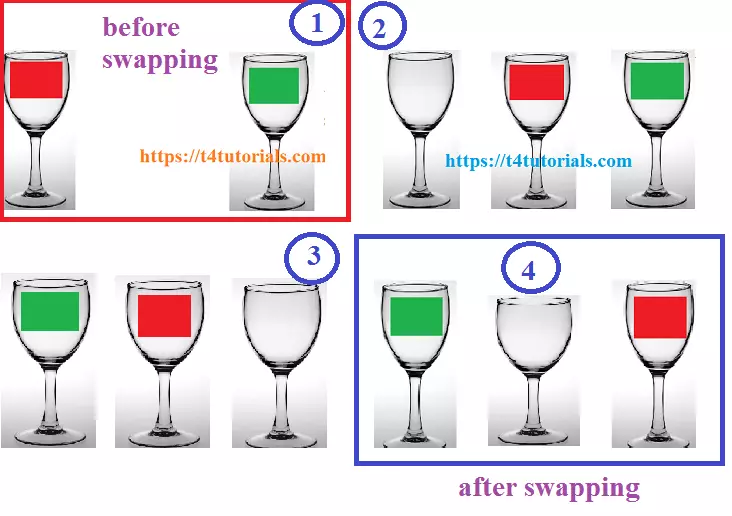
JavaScript program to swap the values of variables with flowchart and values entered by user in the form.
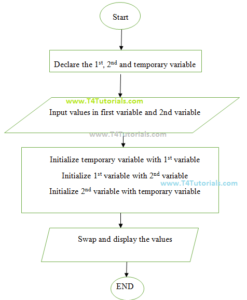
Flowchart of JavaScript program to swap the values of variables.
Program to swap the values of variables.
<html>
<head>
<script>
function swap(){
var x,y,temp;
x=2;
y=3;
temp=x;
x=y;
y=temp;
document.getElementById("ans1").value= x;
document.getElementById("ans2").value= y;
}
</script>
</head>
<body>
<h1>Swapping The Number </h1>
<p>Give The value of X=2</p>
<p> Give The value of Y=3 </br>
  </br>
</p>
<button onClick="swap()">Swap</button></br></br>
<p>Value of x:
  <input id="ans1">
Value of y:
<input id="ans2">
</p>
</body>
</html>
Program to swap the values of variables with form values entered by user.
<html>
<head>
<script>
function swap(){
var x,y,temp;
x=Number(document.getElementById("1st").value);
y=Number(document.getElementById("2nd").value);
temp=x;
x=y;
y=temp;
document.getElementById("ans1").value= x;
document.getElementById("ans2").value= y;
}
</script>
</head>
<body>
<h1>Swapping The Number </h1>
<p>Enter Value Of x:
  <input id="1st">
Enter Value Of y:
<input id="2nd">
</br>
</br>
</p>
<h2>Before swapping  </h2>
<button onClick="swap()">Swap</button></br></br>
<h3>After swapping </h3>
<p>Value Of x:
  <input id="ans1">
Value Of y:
<input name="Input" id="ans2">
</p>
</body>
</html>