
Step 1:
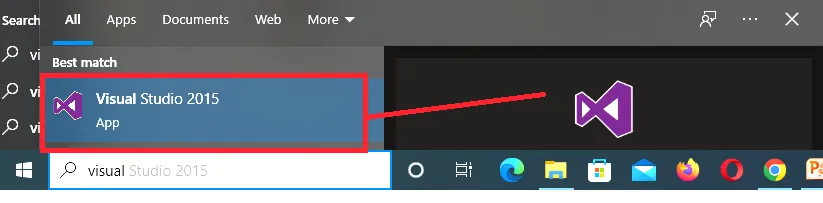
Open visual studio.
Step 2:
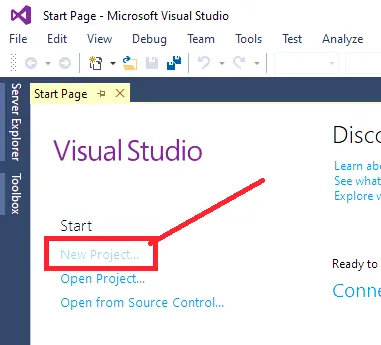
Open visual studio
Step 3:
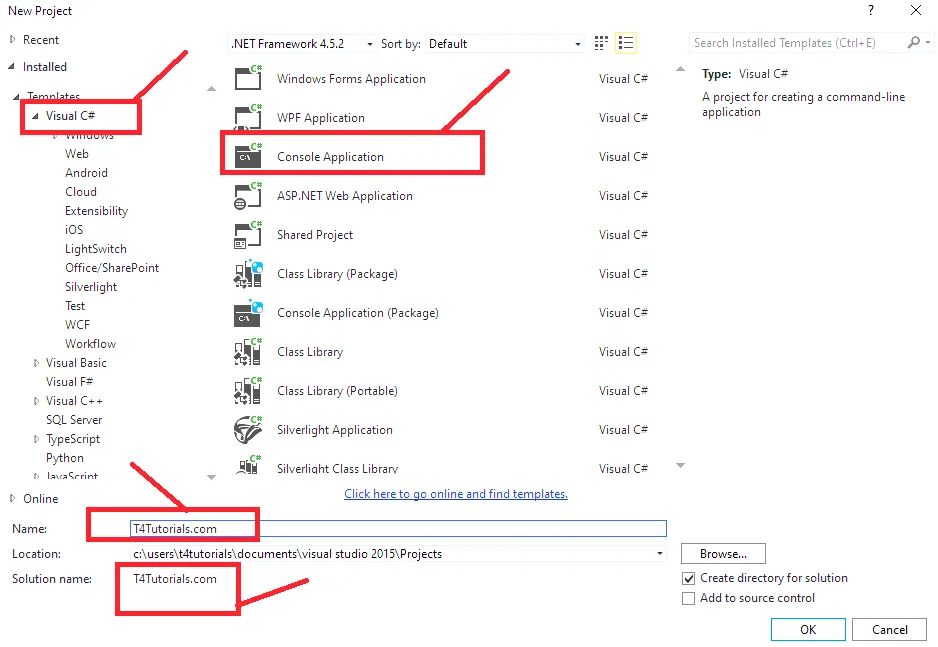
Visual C# is selected. Now select “console application” and then change the name according to your choice.
Step 4:
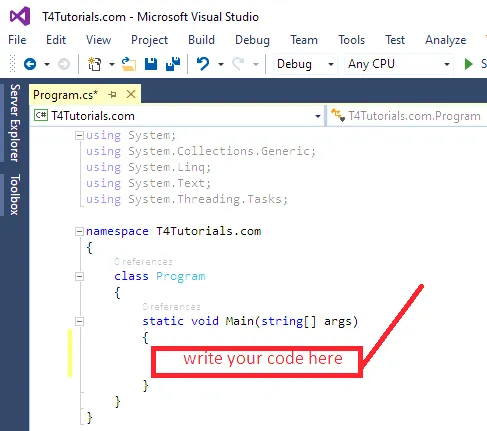
Starting view of visual studio before writing program looks like mentioned below;
Step 5:
Write the program
using System;
using System.Collections.Generic;
using System.Linq;
using System.Text;
using System.Threading.Tasks;

namespace T4Tutorials.com
{
    class Program
    {
        static void Main(string[] args)
        {
            System.Console.Out.WriteLine("Welcome to T4Tutorials.com");
        }
    }
}
Step 6:
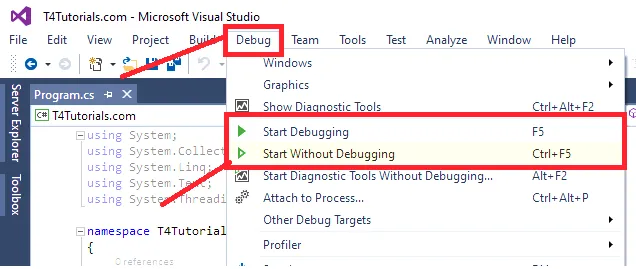
Execute the program by short keys
- F5 for start debugging
- Ctrl+F5 for start without debugging
Execute the program by interface
Output
welcome to t4tutorials
List of programs
C# program to Add and subtract two matrices