Site icon T4Tutorials.com

Computer Graphics Solved MCQs Questions Answers

1. : GUI stands for

(A) Graphical user interaction


(B) Graphical uniform interchange


(C) Graphics user interface


(D) None of these


2. : The basic input device in GUI is

(A) Keyboard


(B) Monitor


(C) Mouse


(D) All of these


3. : Geometric transformation includes

(A) Transition


(B) Drawing


(C) Scaling


(D) None of the above


4. : DVST stands for …

(A) Direct Visual Storage Tube


(B) Digital View Storing Table


(C) Direct View Storage Tube


(D) Digital View Storage Tube


5. : The term ‘raster’ is used for …

(A) Array


(B) Queue


(C) Model


(D) Matrix


6. : Graphics is defined as …

(A) Photographs


(B) Simulations


(C) Drawing


(D) All of these


7. : What is the purpose of display card?

(A) Sending graphics data to output unit


(B) Receiving graphics data to input unit


(C) Sending graphics data from output unit


(D) All of these


8. : Sutherland Hodgeman algorithm is applied on …

(A) Line segment


(B) Concave polygon


(C) Smooth curves


(D) Convex polygon


9. : Pixels are arranged in

(A) Three dimensional grid


(B) Two dimensional grid


(C) One dimensional grid


(D) None of these


10. : Which controller is used to read each successive byte of data from frame buffer?

(A) Data controller


(B) Display controller


(C) Digital controller


(D) Design controller


11. : Each pixel’s brightness is …

(A) Transitive


(B) Compatible


(C) Incompatible


(D) None of these


12. : RGB models are used for

(A) Printing


(B) Texting


(C) Computer display


(D) Window display


Photoshop MCQs

  1. Interface and Navigation MCQs – Adobe Photoshop:
    1. Workspace layout MCQs – Adobe Photoshop
    2. Tools panel MCQs – Adobe Photoshop
    3. Options bar MCQs – Adobe Photoshop
    4. Panels (Layers, Channels, Paths, History, etc.) MCQs – Adobe Photoshop
    5. Navigation shortcuts (zooming, panning) MCQs – Adobe Photoshop
  2. Basic Tools and Functions MCQs – Adobe Photoshop:
    1. Selection tools (Marquee, Lasso, Magic Wand, Quick Selection) MCQs – Adobe Photoshop
    2. Crop and Slice tools MCQs – Adobe Photoshop
    3. Brush and Eraser tools MCQs – Adobe Photoshop
    4. Clone Stamp and Healing Brush tools MCQs – Adobe Photoshop
    5. Gradient and Paint Bucket tools MCQs – Adobe Photoshop
  3. Layers and Masks MCQs – Adobe Photoshop:
    1. Layer basics (creating, deleting, copying)
    2. Layer blending modes
    3. Adjustment layers (Curves, Levels, Hue/Saturation, etc.)
    4. Layer masks and clipping masks
    5. Smart objects and Smart filters
  4. Image Editing and Retouching:
    1. Image size and resolution MCQs – Adobe Photoshop
    2. Color modes (RGB, CMYK, Grayscale) MCQs – Adobe Photoshop
    3. Color adjustments (Brightness/Contrast, Color Balance, etc.) MCQs – Adobe Photoshop
    4. Retouching techniques (blemish removal, skin retouching) MCQs – Adobe Photoshop
    5. Content-aware tools (Content-Aware Fill, Content-Aware Move) MCQs – Adobe Photoshop
  5. Drawing and Painting MCQs – Adobe Photoshop:
    1. Brush presets and customization MCQs – Adobe Photoshop
    2. Drawing with the Pen tool MCQs – Adobe Photoshop
    3. Paths and shapes MCQs – Adobe Photoshop
    4. Using the Brush tool effectively MCQs – Adobe Photoshop
    5. Creating and editing gradients MCQs – Adobe Photoshop
  6. Typography MCQs – Adobe Photoshop:
    1. Creating and formatting text layers MCQs – Adobe Photoshop
    2. Character and Paragraph panels MCQs – Adobe Photoshop
    3. Warping text MCQs – Adobe Photoshop
    4. Applying text effects and styles MCQs – Adobe Photoshop
  7. Filters and Effects MCQs – Adobe Photoshop:
    1. Applying filters (Blur, Sharpen, Noise, etc.) MCQs – Adobe Photoshop
    2. Filter Gallery MCQs – Adobe Photoshop
    3. Layer styles (Drop Shadow, Bevel & Emboss, etc.) MCQs – Adobe Photoshop
    4. Creating and applying custom patterns MCQs – Adobe Photoshop
  8. Advanced Techniques MCQs – Adobe Photoshop:
    1. Working with channels MCQs – Adobe Photoshop
    2. Using Actions and Batch processing MCQs – Adobe Photoshop
    3. Automation tools (Batch processing, Scripts) MCQs – Adobe Photoshop
    4. 3D editing and compositing MCQs – Adobe Photoshop
    5. HDR imaging and panoramas MCQs – Adobe Photoshop
  9. Workflow and Efficiency MCQs – Adobe Photoshop:
    1. Keyboard shortcuts MCQs – Adobe Photoshop
    2. Customizing preferences MCQs – Adobe Photoshop
    3. Working with Adobe Bridge and Camera Raw MCQs – Adobe Photoshop
    4. Saving and exporting files MCQs – Adobe Photoshop

Corel DRAW MCQs

  1. User Interface MCQs
  2. Drawing and Editing Tools MCQs
  3. Basic Shapes and Lines MCQs
  4. Curves and Paths MCQs
  5. Text and Typography MCQs
  6. Layers and Object Management MCQs
  7. Colors and Fills MCQs
  8. Effects and Transformations MCQs
  9. Special Effects MCQs
  10. Bitmaps and Tracing MCQs
  11. Vectorization MCQs
  12. Page Layout and Design MCQs
  13. Printing and Exporting MCQs
  14. Customization and Automation MCQs
  15. Specific Tools and Features MCQs
  16. Interactive Tools MCQs
  17. Web Graphics MCQs
  18. Community and Resources MCCQ
  19. Corel Draw MCQs
  20. Corel DRAW Quiz 
  21. Coral Draw interview Viva Questions

Read More MCQs about Graphic Designing

  1. SET 1: Computer Graphics MCQs
  2. SET 2: Computer Graphics Solved MCQs Questions Answers
  3. SET 3: Computer Graphics Objective Questions Answers
  4. SET 4: Computer Graphics Test and Quiz
  5. SET 5:Computer Graphics Multiple choice questions
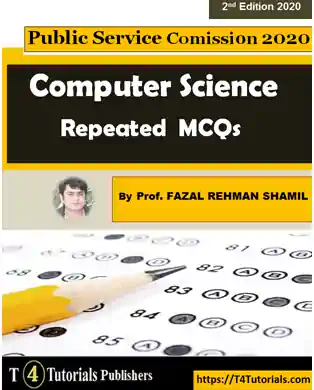
Computer Science Repeated MCQs Book Download

MCQs collection of solved and repeated MCQs with answers for the preparation of competitive exams, admission test and job of PPSC, FPSC, UPSC, AP, APPSC, APSC, BPSC, PSC, GOA, GPSC, HPSC, HP, JKPSC, JPSC, KPSC, KERALAPSC, MPPSC, MPSC, MPSCMANIPUR, MPSC, NPSC, OPSC, RPSC, SPSCSKM, TNPSC, TSPSC, TPSC, UPPSC, UKPSC, SPSC, KPPSC, BPSC, AJKPSC ALPSC, NPSC, LPSC, SCPSC, DPSC, DCPSC, PSC, UPSC, WVPSC, PSCW, and WPSC.

Exit mobile version