
Step 1:
Open your document/file.
Step 2:
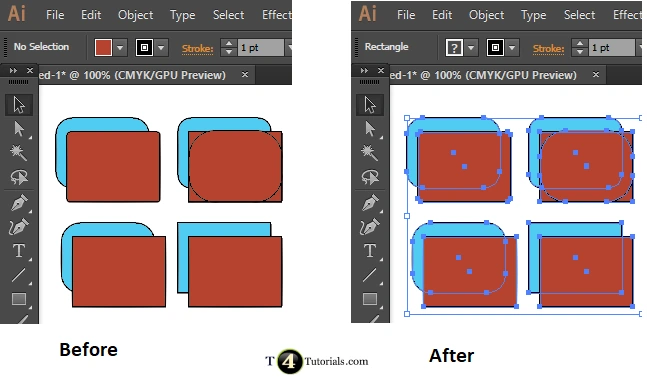
Press the “ctrl+A” key on keyboard to select all objects of the document
Adobe illustrator Tutorials
Selection Tool
- How to draw a square with rectangle tool in adobe illustrator?
- How to zoom in adobe illustrator?
- How to resize the shape with same proportion in adobe illustrator?
- How to rotate a shape in adobe illustrator?
- How to make copies of a shape in adobe illustrator?
- How to select all shapes together in adobe illustrator?
- How to color border of a shape in adobe illustrator?
- How to select specific objects or shapes together in adobe illustrator?